 Documentation
Stripe
Configure Stripe as your payment provider
Register Stripe Account
Go to Stripe and create an account.
Once you have created an account, you will be redirected to the dashboard. Click on the Developers tab in the sidebar.

Get API Keys
- Click on
API Keysin the sidebar. - There you will see the publishable key. Copy this key and enter go to the NimeraCP Admin Panel -> Settings -> Payment Methods.
- Click on
Add Payment Methodand selectStripefrom the list. - Enter the publishable key.
For the Secret Key you will need to create a new secret key. Click on API Keys on Stripe in the sidebar and click on Create Secret Key.
Then you pick Building your own integration and click on Create secret key.
After this you copy the secret key and go back to NimeraCP to enter it in the modal.
Register the Webhook
Go back to Stripe and click on the Developers tab once again in the sidebar. After that you click on Webhooks in the sidebar.
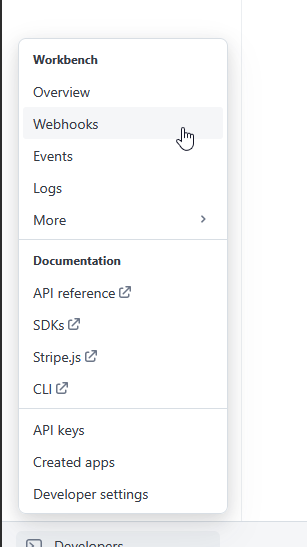
Click on Add Webhook and select the following events:
checkout.session.completed
Click on Continue, select Webhook endpoint.
Then on the Configure destination page, you need to enter the Endpoint URL, which is https://<your-domain>/api/webhooks/stripe/. Then you click on Create destination.
After that you will need to copy the Webhook Secret, on the right side of the page. The Secret starts with whsec_, you will need to click on the eye icon and then copy.
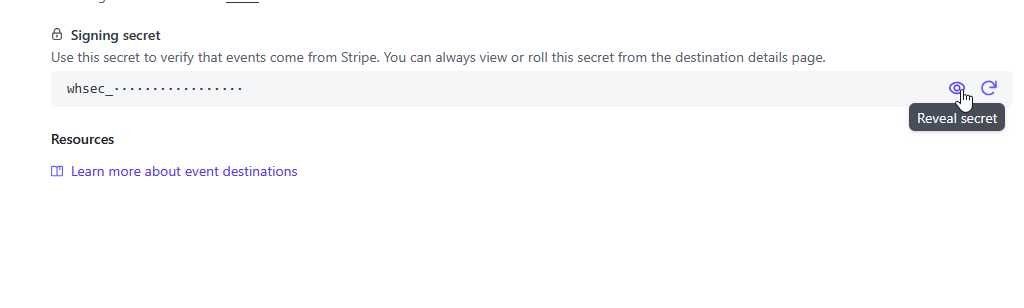
Now go back to NimeraCP and enter the Webhook Secret in the modal. Then you can click on Save Changes to save the Stripe Provider.
Sandbox Mode (Test Mode)
Stripe provides a Sandbox mode, which is a test mode. You can use this mode to test your payments without incurring any charges.
To enable Sandbox mode, you will first need to create a Sandbox Account. To do this, go to your Stripe Dashboard and click on Create sandbox.
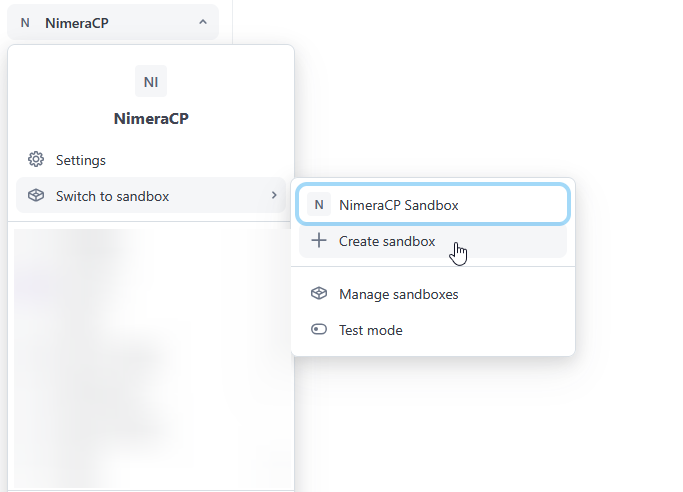
Pick a name for your Sandbox Account and Copy your account, then click on Create sandbox.
To retrieve your sandbox keys and register webhook, you basically repeat the steps above.
The only difference is that you will need to enter the Sandbox Keys in the NimeraCP Admin Panel for the Stripe Provider, these normally start with sk_test and pk_test.